Your league and sport
League Loom supports ESPN NFL, NBA, MLB, NHL, and WNBA. Choose the right sport and season so your assistant reads the intended team.
Your ESPN league, answered by AI
League Loom is a free, read-only ESPN fantasy MCP connector that puts your league in ChatGPT and Claude for roster, matchup and waiver questions.
Public leagues need only the league URL; private leagues also need your espn_s2 and SWID cookies. Add it on a computer, then ask in Claude's phone app or ChatGPT on the web.
Free connector · ESPN, Sleeper & Fantrax · Works with compatible AI tools
Looking for Claude-only setup steps? See Connect ESPN to Claude.
Looking for your private-league cookies? See Find espn_s2 and SWID.
Looking for the MCP endpoint and OAuth details? See ESPN fantasy MCP server reference.
Looking for help when a private league stops working? See Fix an expired ESPN connection.
Last updated
See it with a real team
A recorded check-in with real teams.
Both are on your current 18-player roster. The roster and injury reports give you the candidates; recent usage and matchup research are still needed to rank them.
Plan for the next eligible lineup period. Confirm ESPN's deadline and each player's eligibility before making a change; this snapshot does not verify that the slot is open.
Keenan Allen is back on your bench and listed active. Metcalf and Concepcion are no longer on this roster, so they are no longer your bench alternatives.
You have four receivers to compare for the next eligible lineup period. Check expected usage, schedules and lineup locks before choosing. If you need more depth, verify the available pool before considering an add.
Your first useful answer
Choose where you play and what you want to check. Connect once, then reuse the prompt whenever you need it.
Using Meta Muse? Follow the chat-based Muse setup guide.
Requires an AI plan and workspace permissions that allow custom connectors. League Loom is free; fair-use limits apply. Setup is easier on a computer.
Set up your leagues here firstUse League Loom to review my connected teams. Confirm each sport, season and scoring period first. Show one useful next step per team, with source times and missing data clearly identified.
Already connected? Start here. Keep the prompt for your next check; each run asks for fresh data.
These choices are remembered in this browser for seven days.
Screens from leagueloom.com/setup, shown with empty fields. Select a screen to open it full size.
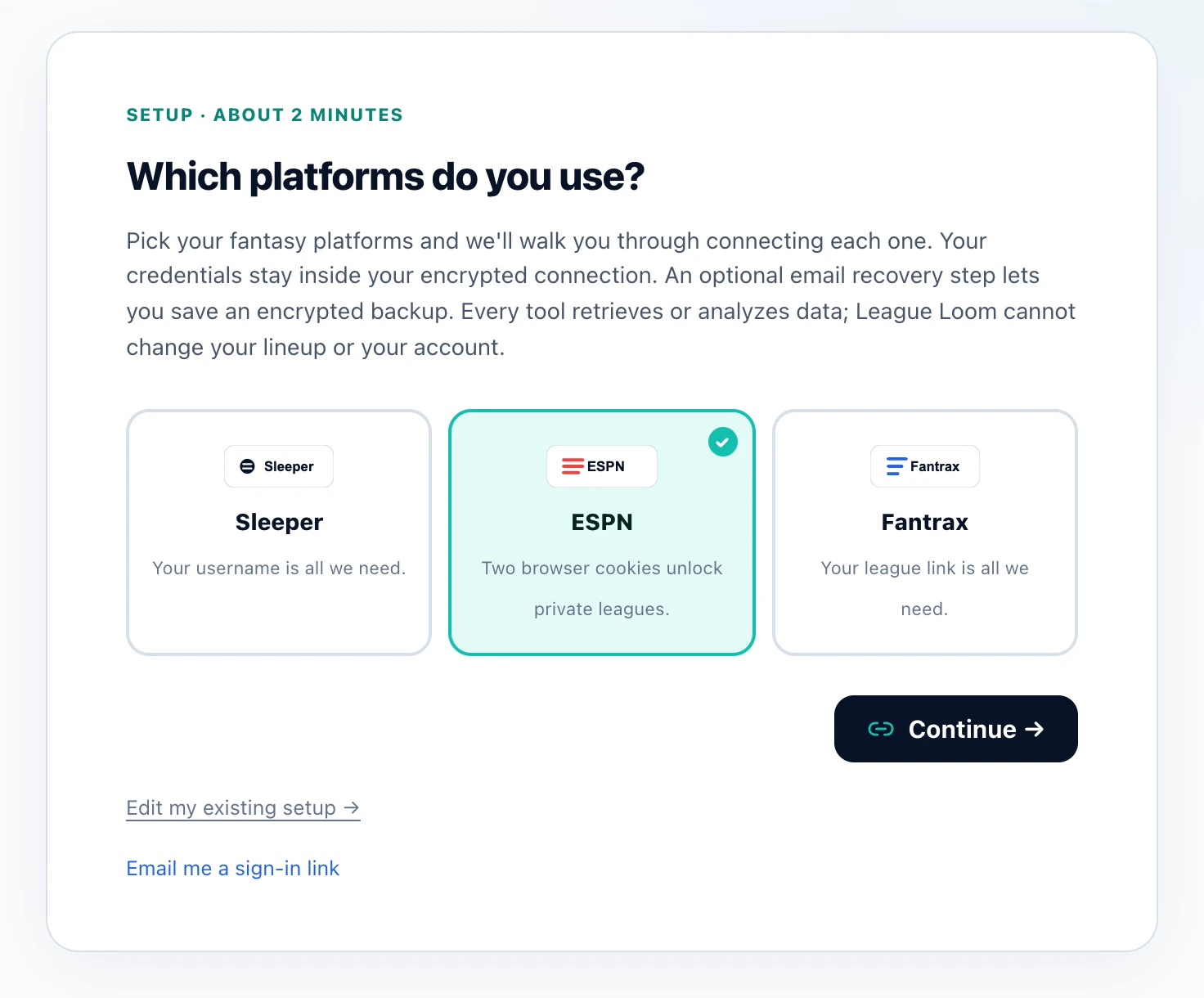
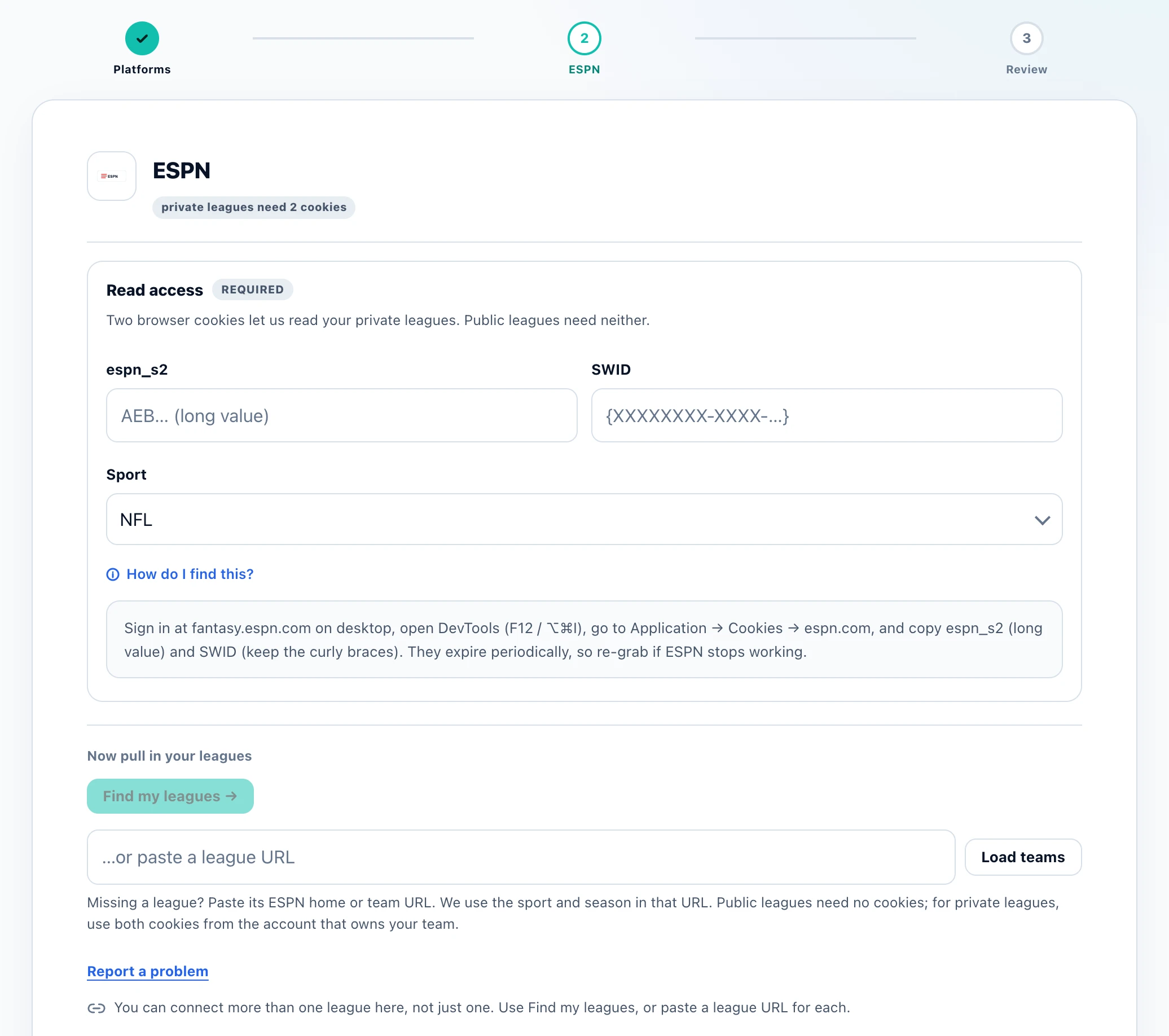
Before you start
League Loom supports ESPN NFL, NBA, MLB, NHL, and WNBA. Choose the right sport and season so your assistant reads the intended team.
Use your own espn_s2 and SWID values in the secure setup form. League Loom does not ask for your ESPN password. Public leagues can be loaded by URL without cookies.
If a private league stops loading, refresh both cookies and reconnect. If a league is missing, try its URL and confirm the season and signed-in ESPN account.
Worked example
Illustrative walkthrough for a sample ESPN football team. This is a method to follow, not a current player recommendation.
Ask the assistant to list your connected ESPN league, season, team, and roster slots. Correct any mismatch before continuing.
Ask it to load starters and bench players, flagging missing injury or eligibility information rather than guessing.
Choose two players on that roster. Ask for the scoring rules and available provider data behind the comparison. Check current news separately when needed, then make any lineup change in ESPN.
League Loom connects to ESPN fantasy data so Claude, ChatGPT, and other AI tools can answer start/sit, waiver, trade, and lineup questions using your actual roster. Public leagues need no credentials.
Private leagues use your espn_s2 and SWID browser cookies, entered once and sealed into your encrypted connection. League Loom never sees or stores your ESPN password, and nothing is shared across users; no tool can change your league.
Ask it to compare two flex options, catch a bye-week gap, rank the available waiver pool, or explain your scoring and playoff rules. The free connector supports ESPN leagues across NFL, NBA, MLB, NHL, and WNBA.
Before you connect
League Loom is free, with no subscription or per-league fee. Fair-use request budgets apply. Your chosen AI service has its own account and access requirements. No League Loom tool can change your league; you make roster moves yourself.
No password ever. Public ESPN leagues need nothing. For private leagues, you paste two browser cookies (espn_s2 and SWID) once. They're sealed into your own encrypted connection (with an optional encrypted email recovery backup).
League Loom reads ESPN leagues across NFL, NBA, MLB, NHL, and WNBA. Connect several ESPN leagues, or mix in Sleeper and Fantrax, and ask about them all at once.
No League Loom tool can change your ESPN lineup. You make roster moves in ESPN.
Yes. League Loom can connect several ESPN leagues, and you can even mix in Sleeper or Fantrax leagues alongside them. Once connected, you can ask about any of your teams by name, or ask the AI to check across all of them at once.
Yes. Alongside NFL, NBA, MLB, and NHL, League Loom reads ESPN WNBA leagues too, covering rosters, standings, matchups, and the available-player pool the same way it does for other sports.
ESPN's private-league cookies can expire or change if you log out or ESPN resets your session. If that happens, League Loom's connection to that league stops working until you paste in fresh espn_s2 and SWID values, which takes about a minute.
Add the connector on a computer: claude.ai or Claude Desktop, or ChatGPT on the web. What works on a phone afterward depends on the assistant. In Claude, a connector added on the web or desktop is also available in the Claude iOS and Android apps, so you can ask about your leagues from your phone. In ChatGPT, custom apps like League Loom currently run only on the web, not in the ChatGPT phone apps. If you start on a phone, use Send to my computer to email or message yourself the link and finish later.
Before you connect a league, read how League Loom is built, what the privacy policy says is stored, the terms of service and the full FAQ, or check the press kit with key facts and who builds it.